


Blog
Smart Door Locks: Enhancing Security and Convenience in Modern Homes

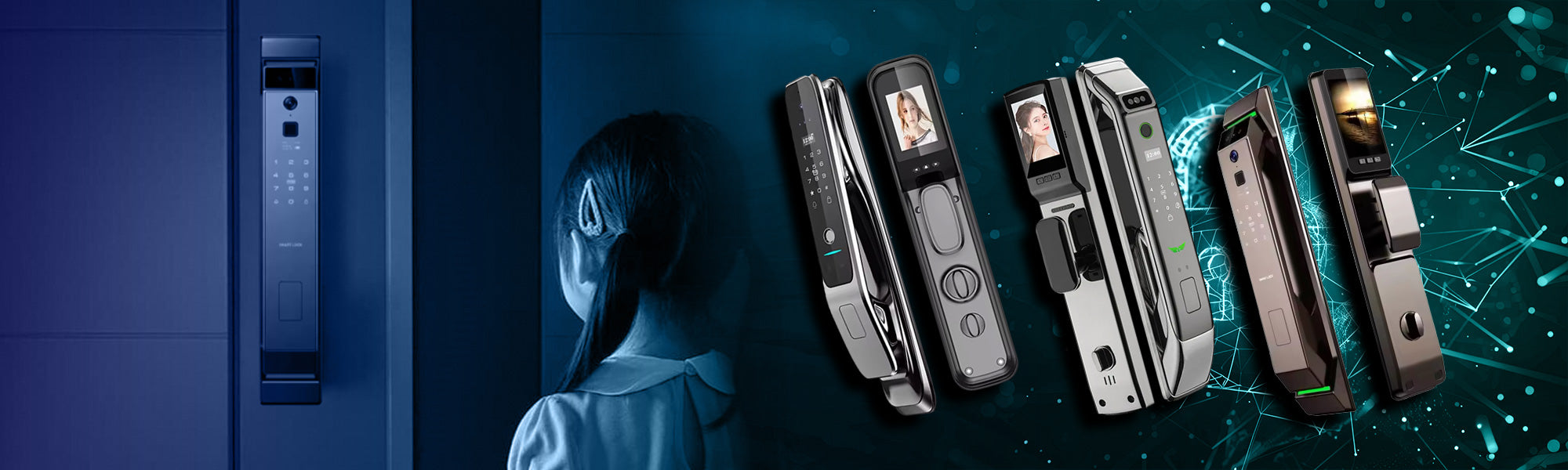
Smart door locks are becoming a core part of modern home security as smart home technology continues to evolve. Traditional keys are gradually being replaced by keyless, connected, and intelligent locking systems that offer higher security and greater convenience. Homeowners today are looking for solutions that not only protect their homes but also simplify daily access.
Smart door locks improve modern living by:
- Enhancing home security with advanced authentication
- Offering keyless entry and remote control
- Providing real-time monitoring and alerts
The growing popularity of smart door locks reflects a global shift toward smarter, safer, and more connected homes.
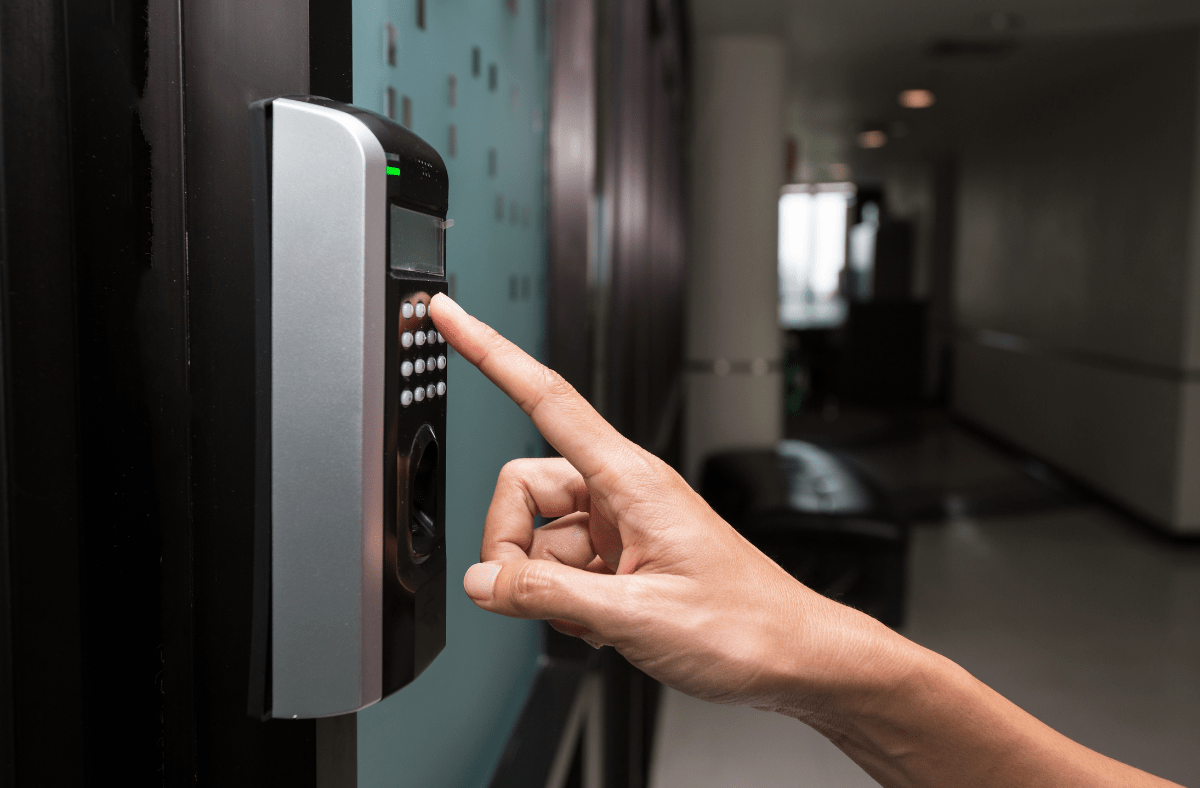
Table of Contents
What Are Smart Door Locks and How They Work
Smart door locks are electronic locking devices that replace or upgrade traditional mechanical locks. They allow users to lock and unlock doors digitally using smartphones, keypads, biometrics, or wireless connectivity instead of physical keys.
Smart door locks work by:
- Authenticating users through digital credentials
- Communicating with mobile apps via Bluetooth or WiFi
- Executing lock or unlock commands electronically
Most smart locks also store access logs, allowing homeowners to track who enters and exits the property.
The Evolution of Door Lock Technology
Door lock technology has evolved significantly over time.
Key stages include:
- Mechanical key-based locks
- Electronic keypad locks
- Connected smart locks with mobile control
- Biometric and AI-powered locks
This evolution has led to smarter systems that offer higher resistance to tampering, better access management, and seamless integration with modern smart homes.
Key Features of Smart Door Locks
Modern smart door locks are designed with multiple features that improve both security and usability. These features work together to create a reliable and flexible access control system.
Key features include:
- Keyless entry methods
- Remote locking and unlocking
- Access logs and activity tracking
- Temporary access codes
- Integration with smart home systems
These features allow homeowners to manage access efficiently while maintaining full control over their doors at all times.
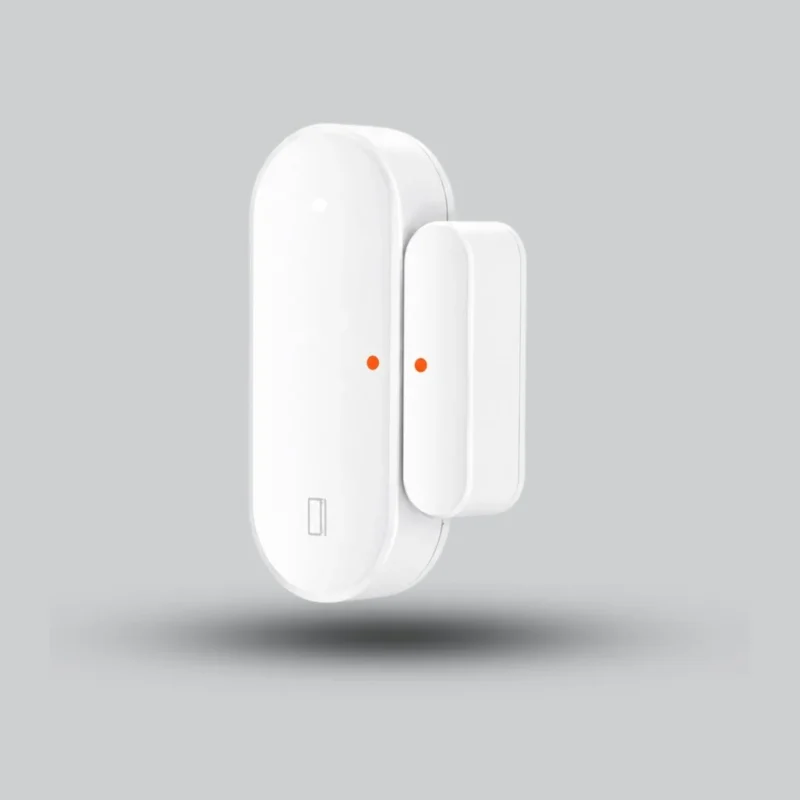
AVATTO Tuya Zigbee Smart Door Sensor – Smart Door & Window Sensor
The AVATTO Tuya Zigbee Smart Door Sensor provides smart home protection with instant alerts when doors or windows are opened or closed, support for Tuya / Smart Life, and the ability to create smart scenes and automation routines, all in a compact and elegant design.
Biometric Access: Fingerprint Recognition
Biometric smart door locks use fingerprint recognition to provide one of the most secure and convenient access methods available today. Instead of keys or codes, access is granted using a unique fingerprint pattern.
Advantages of biometric access include:
- High security with unique identification
- Fast and convenient unlocking
- No risk of lost or duplicated keys
- Personalized access for multiple users
Fingerprint-based smart door locks are ideal for homes, apartments, and offices where security and ease of use are equally important.
Keypad Entry Systems for Quick Access
Keypad-based smart door locks provide fast and reliable keyless entry using secure PIN codes. These locks are ideal for households that want simple access without relying on smartphones or physical keys.
Key advantages of keypad entry systems include:
- Quick access using personalized PIN codes
- Multiple user codes for family members
- Easy code changes without replacing hardware
- Reduced risk of lost or copied keys
Keypad smart door locks are commonly used in homes, apartments, offices, and rental properties where controlled access is essential.

Bluetooth and WiFi Enabled Smart Locks
Bluetooth and WiFi smart door locks add advanced connectivity that allows doors to be controlled digitally. These locks communicate with smartphones and smart home platforms to offer higher flexibility and control.
Main connectivity options include:
- Bluetooth smart locks for short-range control
- WiFi smart locks for remote access from anywhere
Connected smart locks provide greater visibility and real-time management of door access.
How Connectivity Enhances Convenience and Control
Connectivity transforms smart door locks into fully interactive security devices.
Key benefits include:
- Remote locking and unlocking
- Instant access notifications
- Activity history and access logs
- Integration with automation routines
WiFi-enabled locks are especially useful for homeowners who travel frequently or manage multiple properties.
Remote Access via Mobile Applications
Mobile applications act as the control center for most smart door locks, allowing homeowners to manage access directly from their smartphones.
Mobile app capabilities include:
- Locking and unlocking doors remotely
- Granting or revoking access instantly
- Viewing real-time access history
- Receiving security alerts
Remote access ensures homeowners stay connected to their property at all times, offering peace of mind, flexibility, and full control over home entry points.
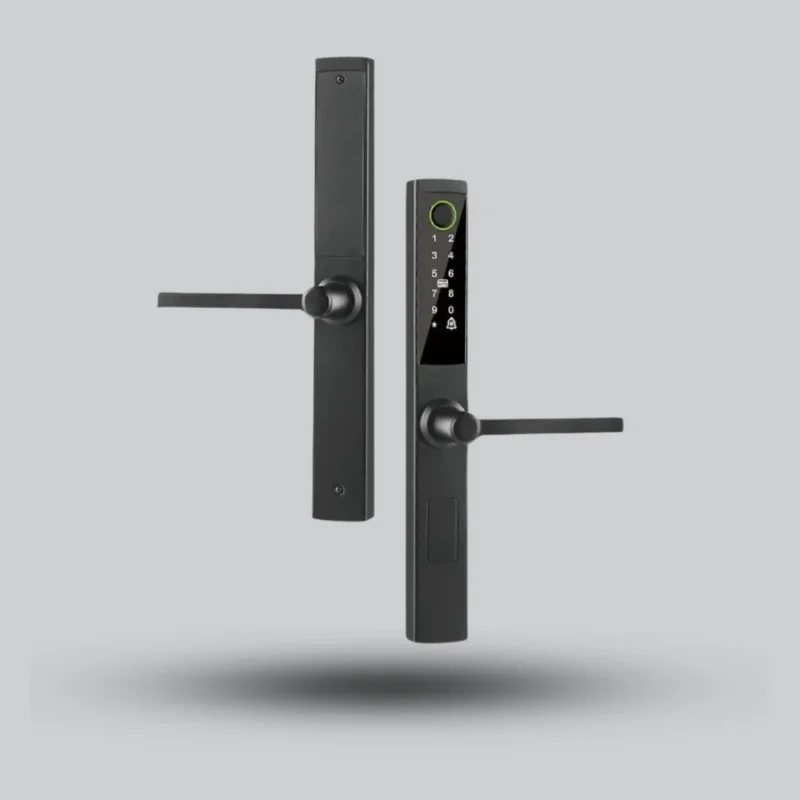
Cordless CL-15: Advanced Smart Lock for Aluminum & Alumetal Doors
The CL-15 Smart Lock is the ultimate elegant solution for aluminum (alumetal) doors. It offers 5 unlocking methods for maximum convenience and security: Fingerprint, PIN Code, Magnetic Card, Mechanical Key, and full control via the Tuya Smart app. With its slim and modern design, it fits perfectly into narrow door frames, making it the ideal choice to enhance the security of your home or office
with a touch of modern technology.
Integration with Home Automation Systems
Smart door locks become even more powerful when integrated into a full home automation system. Integration allows door locks to communicate with other smart devices, creating a coordinated and automated security environment.
Smart door locks can integrate with:
- Smart lighting systems
- Security cameras and alarms
- Smart hubs and controllers
- Mobile and voice control platforms
This integration enables automatic actions such as turning on lights when the door unlocks or activating security systems when the home is locked.
Smart Door Locks and Voice Control
Voice control adds an extra layer of convenience to smart door locks, allowing hands-free operation through supported platforms.
Key benefits include:
- Voice-based locking and unlocking
- Status checks using voice commands
- Integration with automation scenes
Voice control is especially useful in busy households or smart homes with multiple connected devices.
Using Alexa, Google Assistant, and Other Platforms
Most modern smart door locks support popular voice assistants.
Common platforms include:
- Amazon Alexa
- Google Assistant
- Other smart home ecosystems
These platforms allow users to control door locks securely while maintaining authentication rules and permissions.
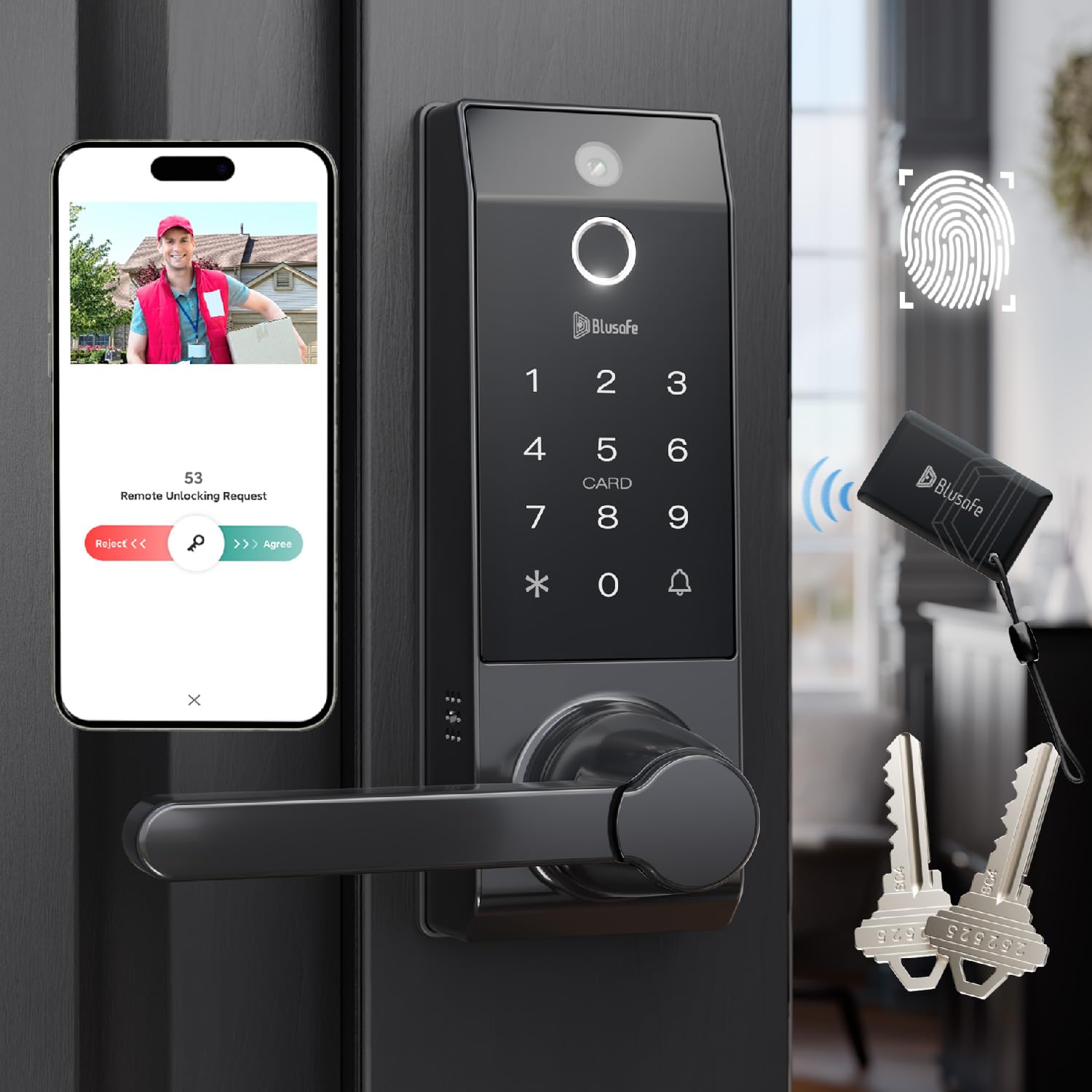
Temporary Access Codes for Guests and Service Providers
One of the most valuable features of smart door locks is the ability to create temporary access codes. This feature eliminates the need to share physical keys with visitors or service staff.
Temporary access is useful for:
- Guests and family members
- Cleaning and maintenance services
- Delivery and rental properties
Access codes can be set to expire automatically, ensuring security after use.
Key benefits include:
- Time-limited access control
- Easy code management
- No physical key handover
This feature provides flexibility without compromising safety.
Security Alerts and Real-Time Notifications
Smart door locks actively monitor door activity and send real-time notifications to homeowners. These alerts keep users informed about every access event.
Common security alerts include:
- Door locked or unlocked notifications
- Failed access attempts
- Forced entry or tampering alerts
Real-time notifications allow homeowners to respond immediately to suspicious activity, enhancing overall home security.
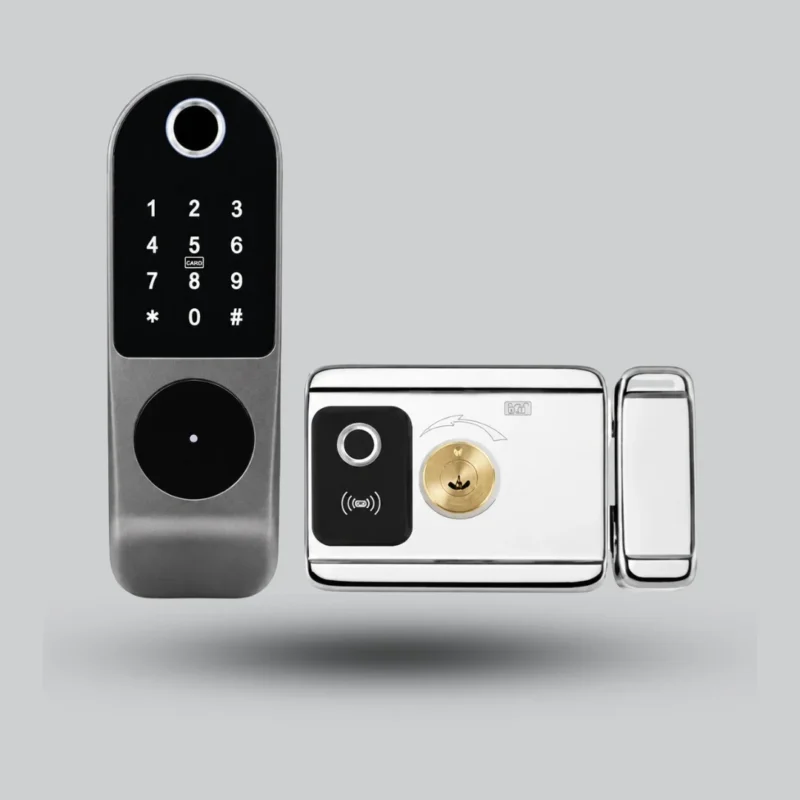
Electronic door lock with remote control and support for metal doors R7Y-TY
The S2 Smart Lock – The perfect solution for metal and wooden doors
🔹 Key specifications:
-
It supports 4 unlocking methods: remote control (315MHz), proximity cards, secret code, and metal key.
-
Operating range up to 15 meters (7 meters with obstacles)
-
Storage capacity for up to 250 users
-
Includes 2 controllers and 3 blades
-
Practical design with an easy-open handle
Automatic Locking and Unlocking Mechanisms
Automatic locking and unlocking features improve security while maintaining convenience.
Key functions include:
- Auto-lock after a set time
- Unlocking when a trusted device is nearby
- Locking doors when leaving home
Optimizing Security While Maintaining Ease of Use
To balance security and convenience:
- Enable auto-lock features
- Use location-based unlocking carefully
- Set clear access rules for users
Proper configuration ensures smart door locks remain both secure and easy to use.
Battery Life, Power Backup, and Maintenance Tips
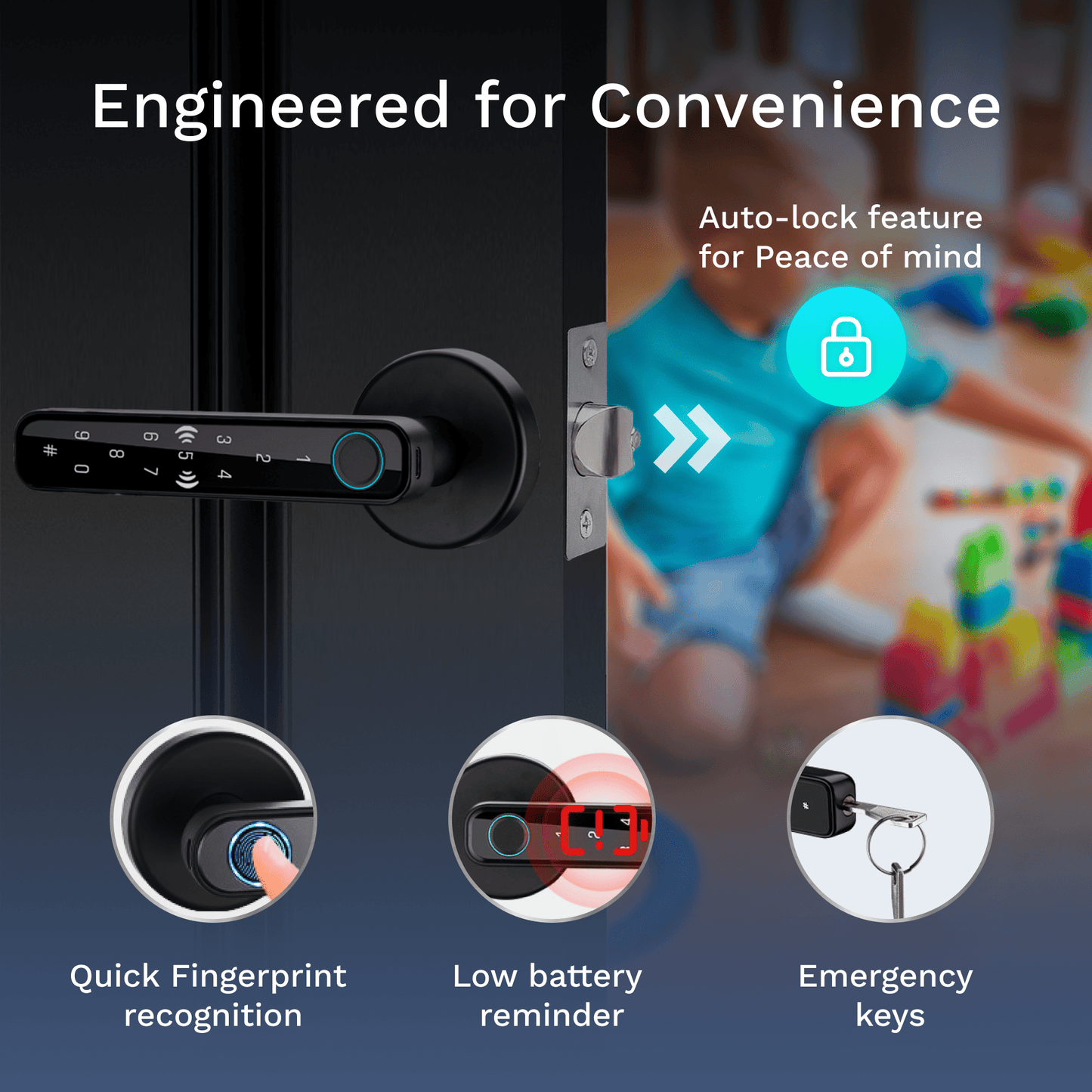
Reliable power is essential for the performance of smart door locks. Most smart locks are designed to be energy-efficient while offering backup options to prevent lockouts.
Key power and maintenance features include:
- Long-lasting batteries with low power consumption
- Low-battery alerts sent to mobile apps
- Emergency power options such as USB backup
- Manual key override for critical situations
Maintenance tips for optimal performance:
- Replace batteries proactively every 6–12 months
- Keep firmware updated for efficiency and security
- Clean fingerprint sensors and keypads regularly
Proper maintenance ensures consistent operation, safety, and longevity.
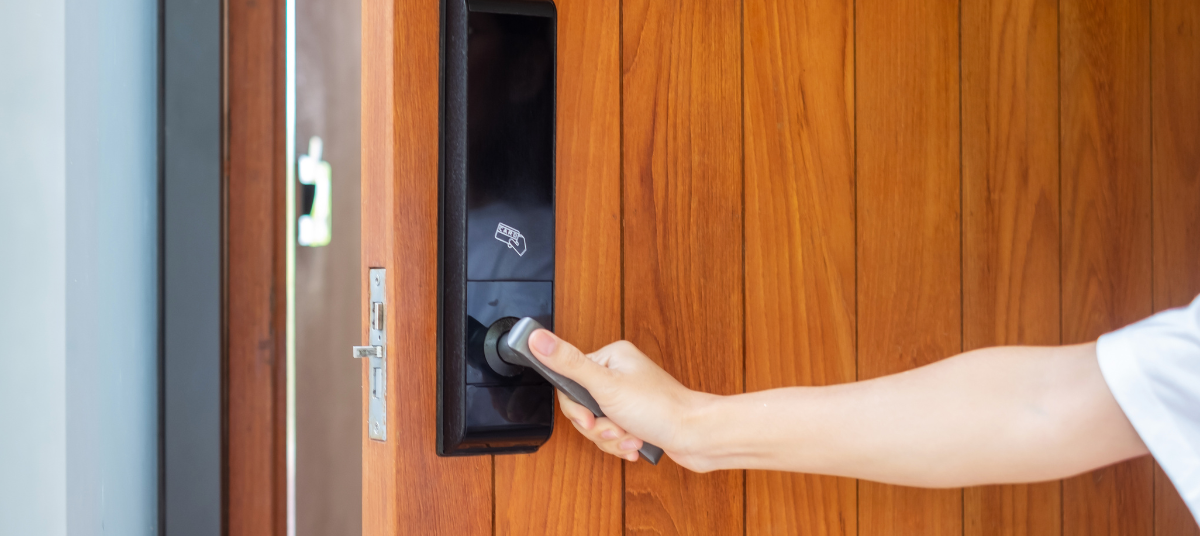
Comparing Traditional Locks vs Smart Locks
Understanding the difference between traditional locks and smart door locks helps homeowners make informed decisions about security upgrades.
Traditional locks:
- Rely on physical keys
- Limited access control
- No activity tracking
Smart door locks:
- Offer keyless and remote access
- Provide real-time alerts and logs
- Integrate with smart home systems
Smart locks clearly outperform traditional locks in convenience, monitoring, and flexibility, making them a modern security standard.
Top Brands and Models in the Market
The smart lock market offers a wide range of brands and models with varying features and price points.
When comparing options, focus on:
- Security standards and certifications
- Build quality and durability
- Mobile app reliability
- Customer support and warranty
Choosing a reputable brand ensures better performance, software updates, and long-term reliability.
Features, Reliability, and Price Comparisons
Smart lock prices vary based on features and technology.
General comparison factors:
- Biometric vs keypad vs app-based access
- WiFi vs Bluetooth connectivity
- Entry-level vs premium models
Balancing features with reliability helps achieve the best value for money.
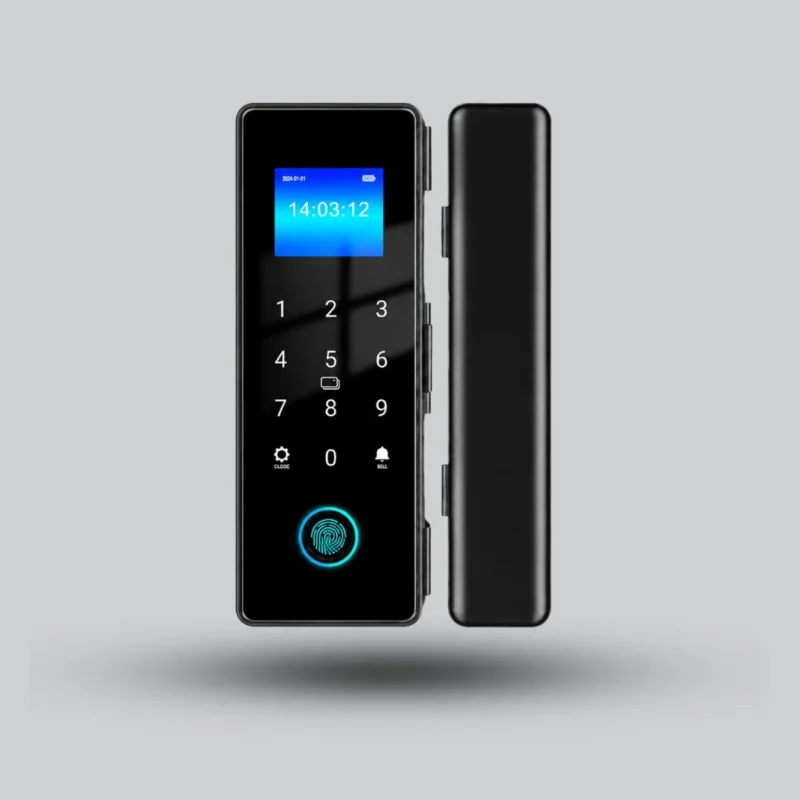
GL01 Smart Glass Door Lock – Face Recognition + Fingerprint + App Access
The GL01 Smart Glass Door Lock offers a stylish and secure access solution for glass doors, with support for face recognition, fingerprint, password, card, and smart app access, plus no-drilling installation that preserves the clean and elegant look of modern commercial spaces.
Installation Options: DIY vs Professional
Installing smart door locks can be done either independently or through professional services. The right option depends on lock complexity and door type.
DIY installation advantages:
- Lower upfront cost
- Suitable for basic smart locks
- Quick setup for standard doors
Professional installation advantages:
- Correct alignment and calibration
- Compatibility with different door types
- Secure system configuration
For advanced smart locks or non-standard doors, professional installation ensures maximum security and proper functionality.
Cost Considerations and Value for Money
When choosing smart door locks, cost is an important factor, but it should always be evaluated alongside security, reliability, and long-term value. Prices vary depending on features, technology, and brand quality.
Main cost factors include:
- Type of access (biometric, keypad, mobile app)
- Connectivity (Bluetooth vs WiFi)
- Build quality and materials
- Brand reputation and warranty
While basic smart locks are affordable, premium models offer advanced security, better durability, and deeper smart home integration, making them a worthwhile investment over time.
Smart Door Locks and Cybersecurity Concerns
Because smart door locks are connected devices, cybersecurity plays a critical role in overall safety. A secure lock protects not only physical access but also digital control systems.
Key cybersecurity risks include:
- Unauthorized app access
- Weak passwords
- Unsecured WiFi networks
Choosing smart locks with strong encryption and secure authentication reduces these risks significantly.
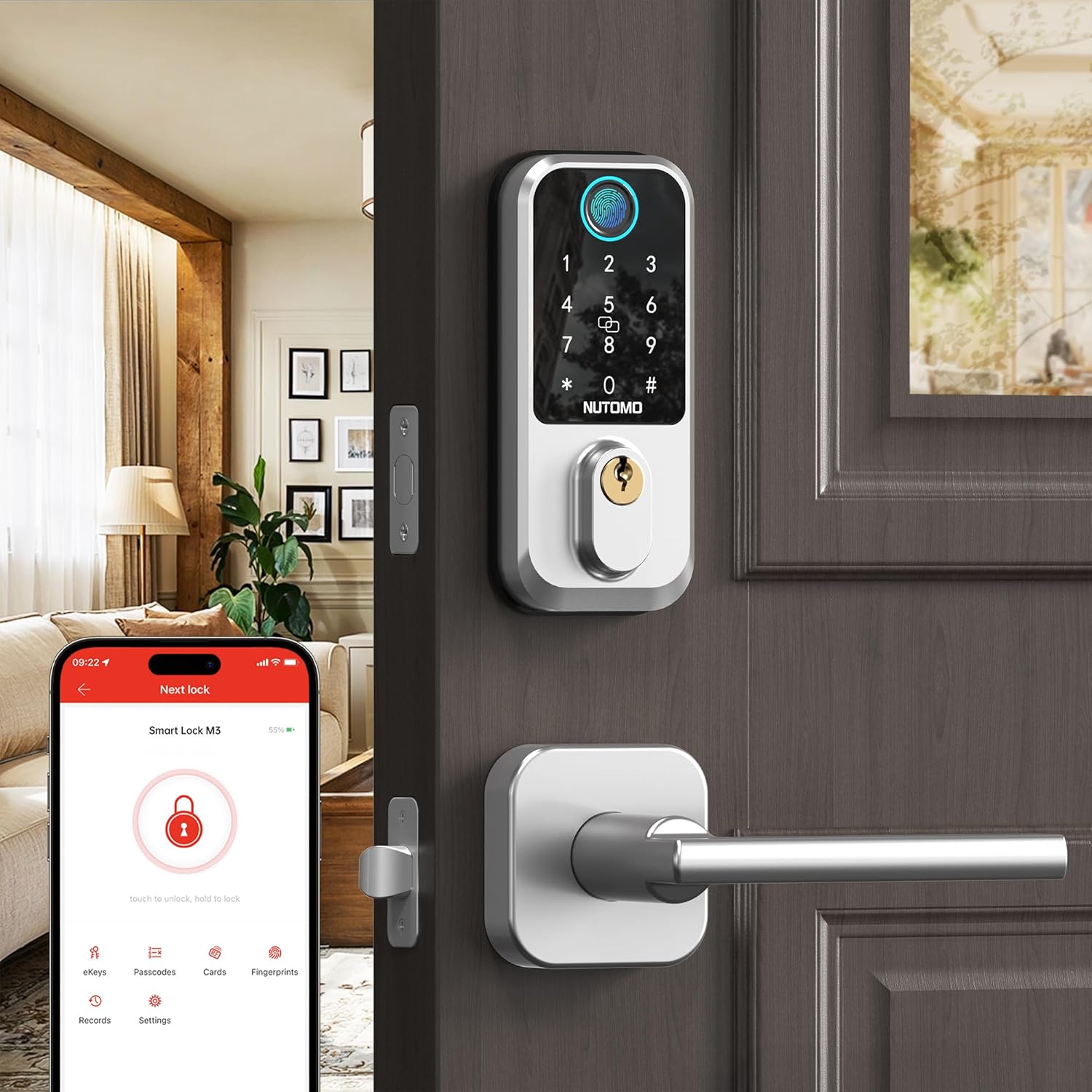
Protecting Against Hacking and Unauthorized Access
To keep smart door locks secure, homeowners should follow best practices:
- Use strong, unique passwords for mobile apps
- Enable two-factor authentication if available
- Keep lock firmware and apps updated
- Secure the home WiFi network
These steps ensure reliable protection against digital threats.
User Experience: Convenience, Safety, and Peace of Mind
One of the biggest advantages of smart door locks is the overall user experience they provide. Smart locks simplify daily routines while increasing confidence in home security.
User experience benefits include:
- Fast and effortless access
- Clear activity tracking
- Reduced worry about lost keys
- Full control from a smartphone
Smart locks deliver peace of mind by keeping homeowners informed and in control at all times.
Smart Door Locks for Apartments, Condos, and Single-Family Homes
Smart door locks are suitable for a wide range of property types, from small apartments to large single-family homes. Their flexibility makes them ideal for different living environments.
Common use cases include:
- Apartments with shared entrances
- Condos and gated communities
- Single-family homes and villas
Smart locks adapt easily to different door styles and security requirements.
Future Trends: AI, Facial Recognition, and Advanced Biometrics
The future of smart door locks is driven by innovation and artificial intelligence.
Emerging trends include:
- Facial recognition access
- AI-based user behavior analysis
- Multi-factor biometric authentication
What the Next Generation of Smart Locks Will Offer
Next-generation smart locks are expected to deliver:
- Faster and more accurate identification
- Higher resistance to tampering
- Deeper integration with smart home ecosystems
These advancements will make smart locks even more secure, intelligent, and user-friendly.
Troubleshooting Common Smart Lock Issues
Even the most reliable smart door locks may occasionally face minor issues related to connectivity, power, or configuration. Understanding common problems helps users resolve them quickly without compromising security.
Common smart lock issues include:
- Lock not responding to app commands
- Bluetooth or WiFi connectivity drops
- Fingerprint or keypad recognition errors
- Battery draining faster than expected
Basic troubleshooting steps:
- Check and replace batteries if needed
- Restart the mobile app and lock device
- Verify Bluetooth or WiFi connection strength
- Update firmware to the latest version
Most issues can be resolved easily with proper setup and regular maintenance.

Smart Door Locks as a Part of Comprehensive Home Security Systems
Smart door locks are most effective when used as part of a complete home security system. When integrated with other smart security devices, they provide layered protection and smarter responses.
Smart door locks can work with:
- Security cameras
- Alarm and siren systems
- Motion and door sensors
- Smart lighting for deterrence
This integration allows actions such as:
- Triggering alarms if unauthorized access occurs
- Turning on lights when the door unlocks
- Recording video clips during entry events
Together, these systems create a strong, connected security environment.
Legal and Privacy Considerations for Smart Lock Usage
Using smart door locks involves handling access data and user activity, which raises important privacy and legal considerations. Homeowners should be aware of how data is stored, shared, and protected.
Key considerations include:
- Access log storage and retention
- User consent for monitoring
- Compliance with local privacy regulations
- Secure handling of personal data
Best practices for responsible use:
- Limit access to authorized users only
- Use trusted brands with clear privacy policies
- Avoid sharing login credentials
Understanding these considerations ensures that smart door locks are used responsibly, securely, and in compliance with privacy standards.
Tips for Choosing the Best Smart Door Lock for Your Home
Selecting the right smart door locks requires balancing security, convenience, compatibility, and budget. The best choice depends on how the lock will be used and the level of control required.
Key selection tips include:
- Identify access needs (biometric, keypad, mobile app)
- Check door compatibility (thickness, material, handle type)
- Choose reliable connectivity (Bluetooth or WiFi)
- Verify smart home integration options
- Review security certifications and encryption
A well-chosen smart lock delivers long-term reliability and peace of mind.
Key Factors to Consider for Safety and Convenience
When comparing smart door locks, focus on these critical factors:
- Security level (biometric accuracy, encryption)
- Ease of use for all household members
- Battery life and backup options
- Mobile app quality and updates
- After-sales support and warranty
Prioritizing these factors ensures both strong protection and everyday convenience.

Frequently Asked Questions
What Are Smart Door Locks and How Do They Work?
Smart door locks are electronic locks that use digital authentication such as fingerprints, PIN codes, smartphones, or wireless connectivity to control access without traditional keys.
Are Smart Door Locks More Secure Than Traditional Locks?
Yes. Smart door locks offer advanced security features like access logs, real-time alerts, and tamper detection, making them more secure than standard mechanical locks.
Can Smart Door Locks Be Controlled Remotely via Smartphone Apps?
Yes. Most smart door locks support remote control through mobile apps, allowing users to lock or unlock doors and manage access from anywhere.
What Types of Smart Door Locks Are Available?
Common types include:
Biometric fingerprint locks
Keypad-based smart locks
Bluetooth and WiFi-enabled locks
Hybrid models with multiple access methods
How Do You Install and Maintain a Smart Door Lock?
Installation can be DIY or professional, depending on lock complexity. Maintenance involves battery replacement, firmware updates, and regular sensor cleaning to ensure reliable performance.