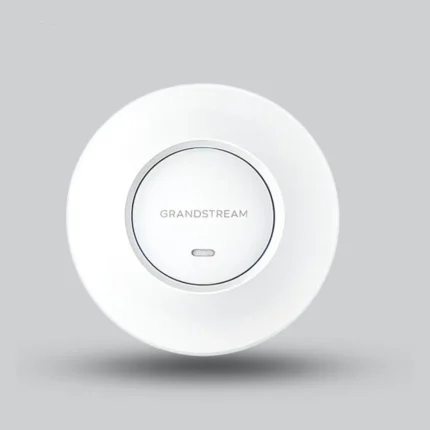


Grandstream GWN7662 Indoor Wi-Fi 6 Access Point – 5.38Gbps

Product Manual

The Grandstream GWN7662 is an indoor Wi-Fi 6 access point designed for high-density wireless networks. It delivers up to 5.38Gbps aggregate wireless throughput, supports up to 256 concurrent clients and provides coverage up to 175 meters, with MU-MIMO, OFDMA and PoE/PoE+ support.

Warranty 1 Year
SKU: 60001001 Categories: ,
Description
5.38GbpsTheoretical aggregate wireless rate
256Concurrent clients
175mAdvertised coverage
16WMax power consumption

Features & Design

Advanced Wi-Fi 6 performance

IEEE 802.11ax with 4×4:4 MU-MIMO on 5GHz and 2×2:2 MU-MIMO on 2.4GHz, plus downlink and uplink OFDMA for better efficiency in high-density environments.

Local and cloud management

An embedded controller manages up to 50 GWN access points locally, with GWN.Cloud for cloud management and GWN Manager for on-premises management.

Wireless security

WPA/WPA2 and WPA3 support and Secure Boot, with a unique security certificate and random default password per device, and up to 32 SSIDs to separate user groups.

Applications

  • Offices and enterprises
  • Schools
  • Hotels and restaurants
  • Retail spaces

How does the Grandstream GWN7662 access point work?

The access point receives power and data over an Ethernet cable from a PoE/PoE+ switch, broadcasts Wi-Fi 6 on 2.4GHz and 5GHz, and is managed from its embedded web interface, GWN.Cloud or GWN Manager.

Connect and power on

Plug an Ethernet cable into the network port of the access point and the other end into the uplink port of a PoE/PoE+ switch.

Default Wi-Fi network

Once powered and connected, it broadcasts a default SSID based on its MAC address with a random password; both are printed on the unit label.

Open the configuration

From a computer on the same network, reach the configuration interface using the MAC address or the GWN Discovery Tool; the default password is on the unit sticker.

Operating features

Automatic power adaptation

One port up to 1Gbps and one up to 2.5Gbps, with IEEE 802.3af PoE and IEEE 802.3at PoE+ support and self power adaptation to the detected PoE type.

Quality of service

QoS, VLAN and WMM capabilities help manage wireless traffic for business applications and large numbers of connected devices.

Multi-access-point networks

Supports Mesh Networking and can be integrated into professional multi-access-point wireless networks.

ImportantAll listed wireless speeds are maximum theoretical data rates, not guaranteed internet speeds. Actual coverage depends on walls, interference and site conditions.

Specifications & Details

Technical specifications

Device

Brand
Grandstream
Model
GWN7662
Product Type
Indoor Wi-Fi 6 Access Point
Mounting Options
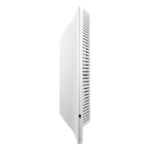
Wall or Ceiling

Wireless performance

Wi-Fi Standard
IEEE 802.11ax
Aggregate Wireless Data Rate
Up to 5.38Gbps (theoretical)
5GHz Data Rate
Up to 4804Mbps (theoretical)
2.4GHz Data Rate
Up to 573.5Mbps (theoretical)
Antennas
6 Internal Antennas

Product details

Network and power

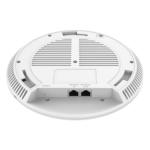
Ethernet Port 1
1 × 10/100/1000Mbps Ethernet
Ethernet Port 2
1 × 10/100/1000/2500Mbps Ethernet
Power Supply
IEEE 802.3af PoE / IEEE 802.3at PoE+
Maximum Power Consumption
16W

Management and operation

Concurrent Clients
Up to 256
SSIDs
Up to 32, with 16 per band
Embedded Controller
Up to 50 GWN Access Points
Operating Temperature
-10°C to 45°C
Dimensions and Weight
205.3 × 205.3 × 45.9 mm / 540g

Important technical noteDo not open, disassemble or modify the device, do not power cycle it during boot-up or firmware upgrade, and keep operating humidity between 5 and 95% non-condensing.

Installation tips

  1. Choose the mounting

    The access point can be mounted on the wall or ceiling; ceiling mounting is recommended for optimal coverage performance.

  2. Fix the bracket

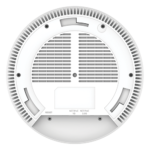
    For ceiling mounting, place the backing plate in the center of the ceiling tile, mark the screw holes and insert the screws through the mounting bracket.

  3. Connect the cable

    Connect the Ethernet cable (RJ45) to the correct port of the access point before seating it on the bracket.

  4. Lock it in place

    Align the arrow on the unit with the arrow on the locking tab of the bracket, then turn it clockwise until it locks into place.

Choose the mounting

The access point can be mounted on the wall or ceiling; ceiling mounting is recommended for optimal coverage performance.

Fix the bracket

For ceiling mounting, place the backing plate in the center of the ceiling tile, mark the screw holes and insert the screws through the mounting bracket.

Connect the cable

Connect the Ethernet cable (RJ45) to the correct port of the access point before seating it on the bracket.

Lock it in place

Align the arrow on the unit with the arrow on the locking tab of the bracket, then turn it clockwise until it locks into place.

Frequently Asked Questions

Does it need a separate power adapter?

It supports IEEE 802.3af PoE and IEEE 802.3at PoE+ over the network cable; a separate power adapter is not listed in the standard package contents.

How many devices can connect?

Up to 256 simultaneous wireless clients, with an advertised coverage range of up to 175 meters depending on installation conditions.

How do I restore factory settings?

Press the RESET button for 7 seconds to restore the factory default settings.

Additional information
Brand

Grandstream

Reviews (0)

Reviews

There are no reviews yet.

Be the first to review “Grandstream GWN7662 Indoor Wi-Fi 6 Access Point – 5.38Gbps”

Your email address will not be published. Required fields are marked *

Shipping & Delivery

Fast & Secure Delivery 🚚
Across All of Egypt

At Aura Smart Home, we are committed to delivering your orders with the highest standards of speed and safety — through trusted shipping partners for your complete satisfaction.

Available 24/7
1–3
Days — Cairo & Giza
2–7
Days — All Governorates
200
EGP flat shipping fee
27
Governorates we serve
📍 Your order's journey — from us to your door
1
🛒
Order Confirmed
Preparation starts right after payment
2
📦
Carefully Packed
Secure packaging to protect your product
3
🏢
Handed to Courier
Dispatched with a trusted courier
4
📲
Tracking Update
Tracking number sent via WhatsApp
5
🏠
Delivered
Inspect before signing
📋 Important details
💰 Costs
💳

Shipping Fees

  • Flat fee of 200 EGP on all orders
  • Free shipping on orders over 10,000 EGP
  • Exact cost shown at checkout
  • Occasional free shipping promotions
✅ On Receipt
🔍

When You Receive Your Order

  • Check the outer packaging for damage
  • Inspect the product before signing
  • If damaged — do not sign
  • Contact us within 24 hours
🔄 Delayed?
⏰

Late Delivery

If your delivery exceeds the expected timeframe, contact our customer support team immediately — we'll track your shipment until it reaches you.

🎁

Free Shipping on Large Orders!

Order 10,000 EGP or more and enjoy free delivery to any governorate in Egypt. Save 200 EGP on every big order!

🚀 Free Shipping
📞 Customer Support We're here to help, anytime