SONOFF SNZB-04P Zigbee Door/Window Sensor – Monitor Your Home Entry and Trigger Smart Scenes Automatically
EGP1,290.00 Original price was: EGP1,290.00.EGP1,120.00Current price is: EGP1,120.00.
Enjoy instant control and direct alerts with the SONOFF SNZB-04P door and window sensor, designed to give you complete security, high peace of mind thanks to tamper alerts, and a battery life of up to 5 years.
14 in stock
Features & Design
Detects when a door or window opens or closes and can turn on lights when a door opens, trigger visual/audio alerts on unauthorized entry and send instant notifications via eWeLink.
Warns you with a phone notification if someone tries to remove or tamper with the sensor, adding protection to your security setup.
Scenes between Zigbee devices keep running even when the internet is down, as long as the Zigbee devices are powered.
Applications
- Home and apartment doors and windows
- Display cases
- Medicine and equipment cabinets
- Pet doors
How does the SONOFF SNZB-04P door/window sensor work?
The sensor has a transmitter and a magnet; it reports open or closed by detecting whether the two parts are close together or apart, then sends the status over Zigbee 3.0 to a compatible Zigbee gateway and the eWeLink app.
Power on
Pull out the battery insulation sheet to power the device; on first power-on the red LED flashes slowly for 180 seconds in pairing mode.
Pair with the gateway
After adding a SONOFF Zigbee gateway in eWeLink, scan the QR code on the device, select Add Device and hold the button for 5 seconds; the LED stays on for 3s when pairing succeeds.
Scenes and alerts
Use open, closed, remaining open or closed for a duration, or removal of the sensor as scene triggers, and turn on push notifications in the app.
01Power on
Pull out the battery insulation sheet to power the device; on first power-on the red LED flashes slowly for 180 seconds in pairing mode.
02Pair with the gateway
After adding a SONOFF Zigbee gateway in eWeLink, scan the QR code on the device, select Add Device and hold the button for 5 seconds; the LED stays on for 3s when pairing succeeds.
03Scenes and alerts
Use open, closed, remaining open or closed for a duration, or removal of the sensor as scene triggers, and turn on push notifications in the app.
Operating features
Scene trigger conditions
Open, closed, remain open or closed for a duration and removed can all trigger a scene; the sensor cannot be used as a scene execution device.
Voice assistant status query
The door sensor status can be queried through Alexa, Google Home and SmartThings once the account is linked.
Range check
After installing, press the button once; two LED flashes mean the sensor is within effective communication distance of the hub or router device.
Scene trigger conditions
Open, closed, remain open or closed for a duration and removed can all trigger a scene; the sensor cannot be used as a scene execution device.
Voice assistant status query
The door sensor status can be queried through Alexa, Google Home and SmartThings once the account is linked.
Range check
After installing, press the button once; two LED flashes mean the sensor is within effective communication distance of the hub or router device.
ImportantA Zigbee hub is required. In eWeLink, removal alerts, duration triggers and local scenes work with ZBBridge-P, ZBBridge-U, NSPanel Pro and iHost, not the original ZBBridge. Philips, IKEA and Fritzbox gateways are not supported.
Specifications & Details
Technical specifications
Product
- Brand
- SONOFF
- Model
- SNZB-04P
- Product Type
- Zigbee Door/Window Sensor
- Color
- White
Connectivity and power
- Wireless Protocol
- Zigbee 3.0 (IEEE802.15.4)
- MCU
- EFR32MG22
- Battery
- CR2477 (3V)
- Battery Life
- Up to 5 years under normal use
- Communication Distance
- 30m indoors
Product details
Installation and size
- Installation Distance
- ≤20mm
- Transmitter Dimensions
- 50.5 × 32 × 21.9 mm
- Magnet Dimensions
- 27 × 12 × 12.4 mm
- Net Weight
- 33 g
Operation and certification
- Applicable Place
- Indoor
- Working Temperature
- -10°C to 60°C
- Working Humidity
- 5–95% RH, non-condensing
- Casing Material
- PC
- Certification
- CE/FCC/ISED/RoHS
Important technical noteThe sensor is designed for indoor use only; rain or direct sunlight may damage it. It works with SONOFF hubs such as NSPanel Pro, ZB Bridge Pro, iHost and ZBDongle-E/P.
Installation tips
- Peel the adhesive film
Tear off the protective film of the 3M adhesive on the transmitter and the magnet.
- Line up the marks
Try to align the mark line on the magnet with the one on the transmitter during installation.
- Mount each part
Fit the transmitter and the magnet separately on the fixed and moving parts, keeping the gap under 20mm when the door or window is closed.
- Use a flat surface
Make sure the tamper switch on the back fully contacts the mounting surface, and avoid uneven or flexible surfaces to prevent false tamper alerts.
01Peel the adhesive film
Tear off the protective film of the 3M adhesive on the transmitter and the magnet.
02Line up the marks
Try to align the mark line on the magnet with the one on the transmitter during installation.
03Mount each part
Fit the transmitter and the magnet separately on the fixed and moving parts, keeping the gap under 20mm when the door or window is closed.
04Use a flat surface
Make sure the tamper switch on the back fully contacts the mounting surface, and avoid uneven or flexible surfaces to prevent false tamper alerts.
Frequently Asked Questions
Does the sensor work without a hub?
No, a compatible Zigbee hub is required, such as NSPanel Pro, ZB Bridge Pro or iHost.
What battery does it use and how long does it last?
It uses a CR2477 coin cell battery, which typically lasts up to 5 years under normal use.
Can it be used outdoors?
No, it is designed for indoor use only, and exposure to rain or direct sunlight may damage it.
Related products
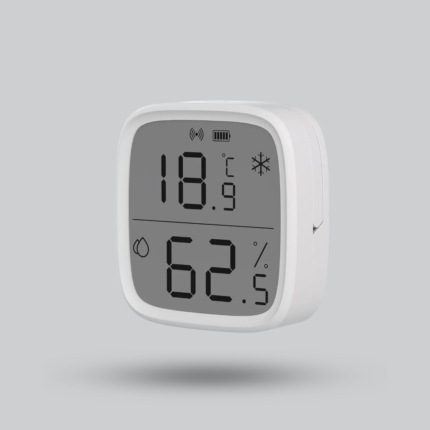
SONOFF SNZB-02D Zigbee LCD Temperature & Humidity Sensor
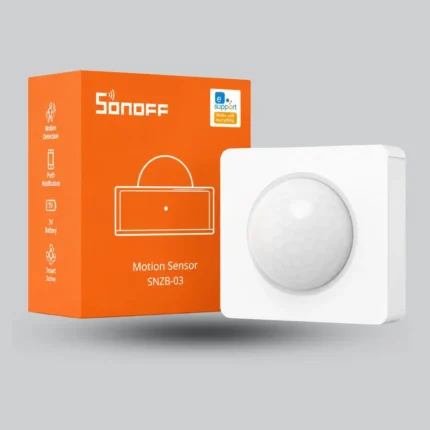
SONOFF SNZB-03 Zigbee Motion Sensor – Smart Motion Detector with 110° Angle
SONOFF SNZB-05P Smart Water Leak Sensor – Zigbee 3.0 with IP67 Protection

Reviews
There are no reviews yet.